# Instalation

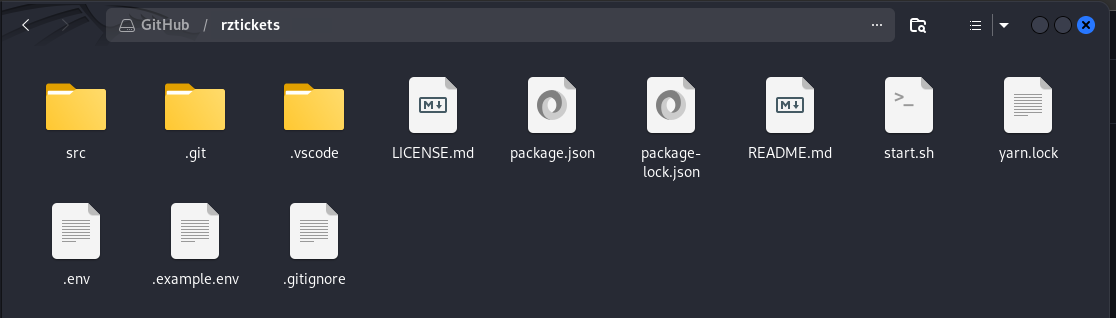
1. Download the zip file and unzip it:

   <figure><img src="https://515029561-files.gitbook.io/~/files/v0/b/gitbook-x-prod.appspot.com/o/spaces%2FyEPu1zHuBZZwXe1LyFa5%2Fuploads%2FF9HbW1NZydqqktRXLcOc%2Fimage.png?alt=media&#x26;token=36fbf54f-0f20-4b87-bc5e-420d68d11417" alt=""><figcaption></figcaption></figure>
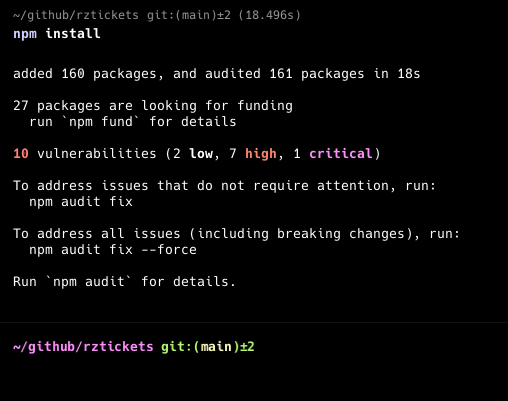
2. Install dependencies:

   <figure><img src="https://515029561-files.gitbook.io/~/files/v0/b/gitbook-x-prod.appspot.com/o/spaces%2FyEPu1zHuBZZwXe1LyFa5%2Fuploads%2F7cLmZA1JDrO7EmaZQR62%2Fimage.png?alt=media&#x26;token=dae29b00-ca52-49ed-928b-5303cd892c4a" alt=""><figcaption><p>Use "npm install" command.</p></figcaption></figure>
3. Set discord bot credentials

   <figure><img src="https://515029561-files.gitbook.io/~/files/v0/b/gitbook-x-prod.appspot.com/o/spaces%2FyEPu1zHuBZZwXe1LyFa5%2Fuploads%2FPUoL7NQxNwN3dYobu7fQ%2Fimage.png?alt=media&#x26;token=0751e850-5175-43ed-bc5e-7675524acd7b" alt=""><figcaption><p>Write in .env file on root directory</p></figcaption></figure>
4. Edit default configuration and messages

   <figure><img src="https://515029561-files.gitbook.io/~/files/v0/b/gitbook-x-prod.appspot.com/o/spaces%2FyEPu1zHuBZZwXe1LyFa5%2Fuploads%2FkOQd6ovM6IYdimXp8BYM%2Fimage.png?alt=media&#x26;token=ac5af7f8-2f90-47bf-bf41-45f0e4479eee" alt=""><figcaption></figcaption></figure>
5. Start software:

   <figure><img src="https://515029561-files.gitbook.io/~/files/v0/b/gitbook-x-prod.appspot.com/o/spaces%2FyEPu1zHuBZZwXe1LyFa5%2Fuploads%2Fm7vcHFERddmcz77zfMYd%2Fimage.png?alt=media&#x26;token=221efe02-7d2d-44a7-a687-73d7721ec2dd" alt=""><figcaption><p>Use "node src/index.js" command to start it.</p></figcaption></figure>